

9AU login in a nutshell
Short answer
To log in to 9AU, open the official site or the Android app, tap Login in the account panel and enter your details. New players tap Register instead, add their full name and mobile number, and confirm with an SMS code. Once you're in, deposits start at $10.
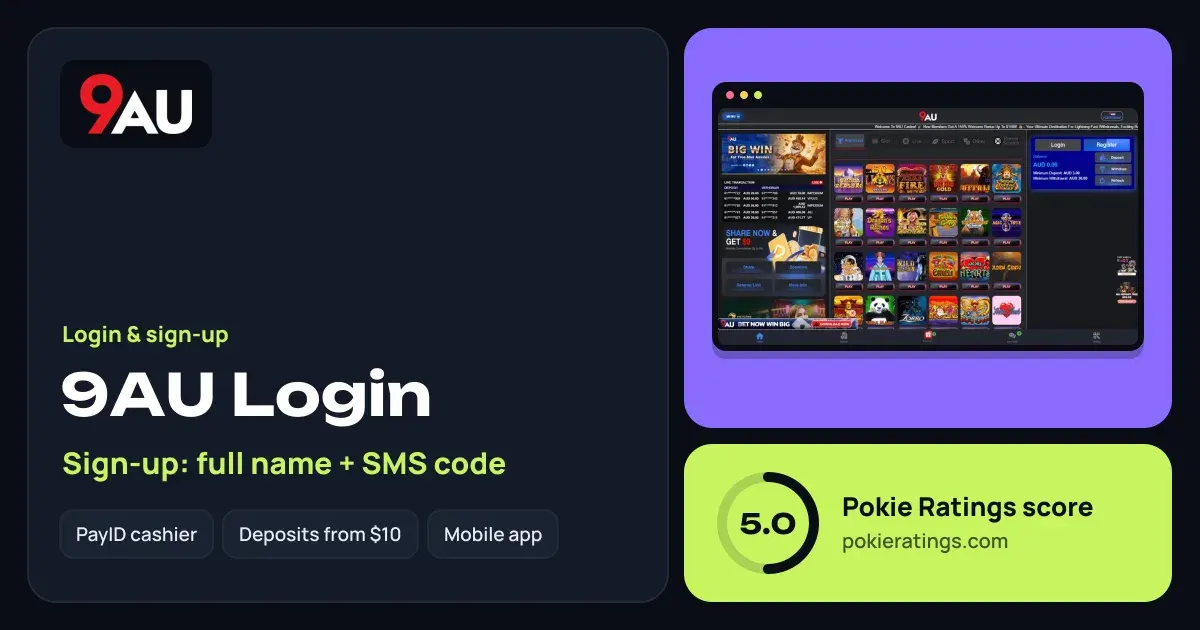
The Login and Register buttons sit side by side in the account panel, right above your AUD balance and the Deposit, Withdraw and Refresh buttons. Don't have an account yet? Head to 9AU and register in a few taps. For our full verdict on the site, read the 9AU casino review.
How to log in to 9AU
Open 9AU
Go to the official 9AU site in your phone browser, or open the app if you're on Android. Bookmark it so you always land on the real site.
Tap Login
You'll find it at the top of the account panel, next to Register.
Enter your details
Type the details you registered with and confirm. Your AUD balance shows straight away; tap Refresh if a recent deposit hasn't appeared yet.
Registering a new 9AU account
Sign-up is built around your phone. 9AU asks for your full name and verifies you with an SMS code, so there's no long form to fill in.
Tap Register
It's the highlighted button in the account panel.
Add your full name
Use the name on your bank account. PayID payments display the account holder's name, so matching details keep deposits and cash-outs smooth.
Confirm your mobile
Enter your Australian mobile number, request the code and type in the digits from the SMS.
Fund the account
Deposit from $10, or $50 and up if you want the first 50% welcome match from the 9AU bonus offer.
Forgot your password or no SMS code?
Most sign-in hiccups have a quick fix. Run through these before you contact support:
- Forgotten password: use the password reset option on the sign-in screen. Because your account is tied to your mobile number, keep that number active — it's your way back in.
- SMS code hasn't arrived: wait a minute, check you entered the number without typos, and make sure your phone has signal. Then request a fresh code rather than reusing an old one.
- Code rejected: codes are short-lived. Use only the most recent one you were sent.
- Still stuck: reach out to 9AU's support from the site and tell them the mobile number on the account. Never share your password with anyone, support included.
Logging in through the 9AU app
Android players can install the 9AU app and log in with the same details as the website. Download it only from the official 9AU site, never from a link in a message or a third-party file store. Our casino apps guide explains how to install an APK safely and turn the install permission off again afterwards.
On iPhone, the simplest route is to log in through the mobile site in Safari and add it to your home screen for one-tap access.
Verification and account security
Before paying out, a casino may ask you to confirm who you are. Registering under your real full name from day one means there's nothing to fix later. Withdrawals start at $50 by PayID or $100 by bank, and are processed in 2–12 hours on business days.
Keep your account locked down
Don't share SMS codes, log out on shared devices, and use a password you don't use anywhere else. If you're new to PayID, our PayID casinos guide explains how payments are matched to your name.
Ready to play?
Comparing sign-up flows? Victor96 and WinX96 also register you with an SMS code, and our full casino ranking shows how all 11 brands stack up. You must be 18+ to play; see responsible gambling for tools like BetStop and deposit limits.
Questions people ask
What do I need to register at 9AU?
You need your full name and an Australian mobile number that can receive an SMS code. Use the same name as your bank account, because PayID shows the account holder's name on payments. You must also be 18 or older to open an account.
Why didn't my 9AU SMS code arrive?
Check the mobile number for typos, make sure you have signal, and give it a minute before requesting a new code. Always use the most recent code you were sent. If it still doesn't come through, contact 9AU's support with the number you registered.
Can I use the same 9AU login on the app and the website?
Yes. One 9AU account works across the website and the Android app, so your balance, bonuses and history follow you between devices. Just sign in with the same details you registered with.
How do I reset my 9AU password?
Use the password reset option on the 9AU sign-in screen. Your account is linked to your mobile number, so keep that number active and to hand. If the reset doesn't go through, contact support from the site and they'll help you regain access.