

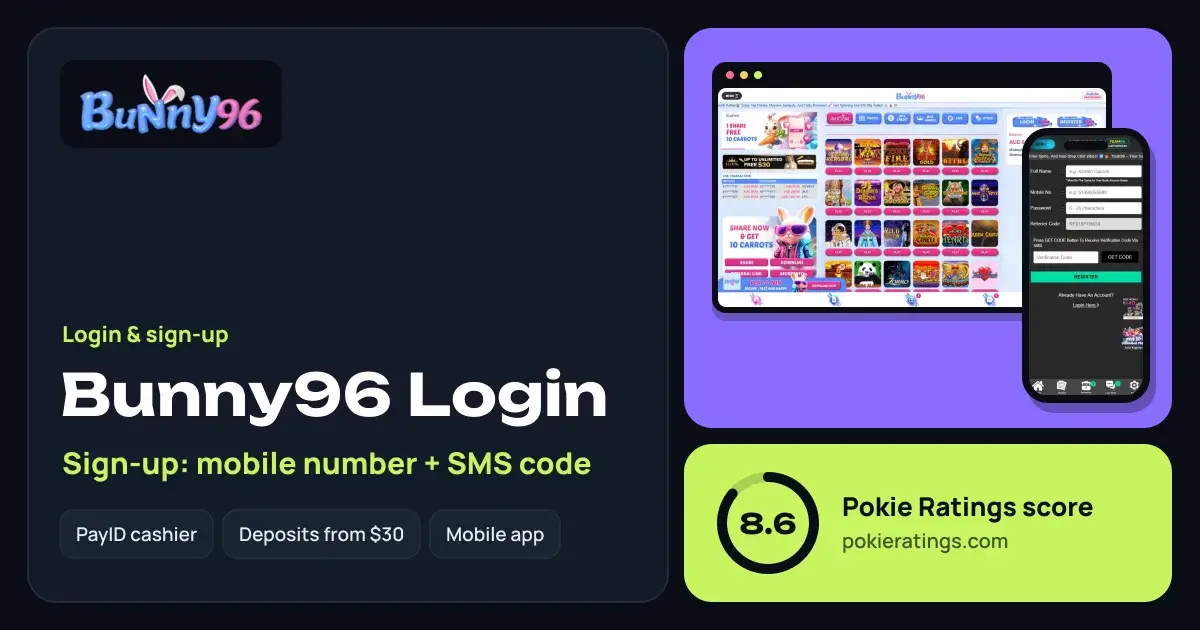
How to log in to Bunny96
Short answer
To log in to Bunny96, open bunny96.co or the Bunny96 app, tap the Login button on the home screen, enter the details you registered with and confirm. Once you are in, your AUD balance and the Deposit, Withdraw and Refresh buttons sit right on the home screen, along with your VIP progress.
Go to the official site
Type bunny96.co into your browser yourself, or open the app you downloaded from the official site.
Tap Login
The Login button sits beside Register on the home screen, on both phone and desktop.
Enter your details
Use the login details you set at registration. If autofill is on, check it has not added a space or a capital letter.
Check your account
Your balance, VIP level and any active promos appear after sign-in. Tap Refresh if a fresh deposit is not showing yet.
Signing up with your mobile and SMS code
Registration at Bunny96 uses your mobile number plus an SMS code. Tap Register, enter an Australian mobile number you actually use and fill in the rest of the form, then type in the code Bunny96 texts you. Use your name exactly as it appears on your bank account, since that is where withdrawals go.
No SMS code? Check the number for typos, make sure your phone has signal and is not filtering unknown senders, then wait a minute before requesting a new code. Requesting several in a row can leave you with an expired one, so always use the latest code.
Once you are in, a first deposit from $30 can earn a 100% match up to $300; the terms and reloads are explained on our Bunny96 bonus page. PayID is the simplest way to fund the account, and our PayID casinos guide explains how it works with Australian banks.
Forgot your Bunny96 password?
Use the forgot-password option on the login form and follow the prompts to reset it through the contact details on your account. Choose a password you have never used elsewhere. If you have changed your mobile number since signing up, contact Bunny96 support from the site and be ready to confirm your identity before they update it.
Fixing common Bunny96 sign-in problems
| Problem | Fix |
|---|---|
| Details not accepted | Turn off autofill and type them in by hand, watching for capitals and spaces. |
| Site will not load | Swap between Wi-Fi and mobile data, then reload or clear the browser cache. |
| Kept getting logged out | Allow cookies for bunny96.co and leave private browsing mode. |
| App crashes on open | Remove the app and install a fresh copy from the official site. |
The Bunny96 app
Bunny96 offers a downloadable app alongside its mobile browser site, and one account works on both. Download the app only from the official Bunny96 site. Our casino apps guide walks through safe installation and shows how to pin the browser site to your home screen instead.
Verification after you log in
Bunny96 runs a KYC check before fast withdrawals and on your first card or crypto deposit. Upload a clear photo ID and proof of address from your account soon after registering. With that approved, withdrawals usually land in 5–10 minutes, which is why Bunny96 features in our fast withdrawal casinos guide.
For the full picture on games, banking and the licence, read our Bunny96 review, or see how it stacks up against iPay9 and Victor96 on our casino rankings.
Bunny96 is for 18+ only. Set limits and take breaks; our responsible gambling page has free help, including Gambling Help Online on 1800 858 858 and BetStop.
Questions people ask
How do I register at Bunny96?
Tap Register on bunny96.co or in the app, enter your Australian mobile number and the requested details, then confirm the SMS code Bunny96 sends you. Use your bank-account name so withdrawals match, and verify your ID early for faster payouts.
Why didn't I get my Bunny96 SMS code?
Usually it is a typo in the number, weak signal or a phone setting that filters messages from unknown senders. Fix those, wait a minute and request one new code. If several codes were sent, only the most recent one will work.
Can I use the same Bunny96 login on the app and website?
Yes. One Bunny96 account works on the mobile site, desktop and the downloadable app. Your balance, VIP level and promotions follow you, so you can register on the browser and log in on the app later.
When does Bunny96 ask for ID?
Bunny96 asks for KYC before fast withdrawals and on your first Visa/Mastercard or crypto deposit. Upload ID and proof of address soon after signing up and your withdrawals can then go through in about 5–10 minutes.
What should I do if my Bunny96 number has changed?
Because the account is tied to your mobile, contact Bunny96 support from the site and explain that your number has changed. Have your ID ready, as they will want to confirm you own the account before updating the details.